

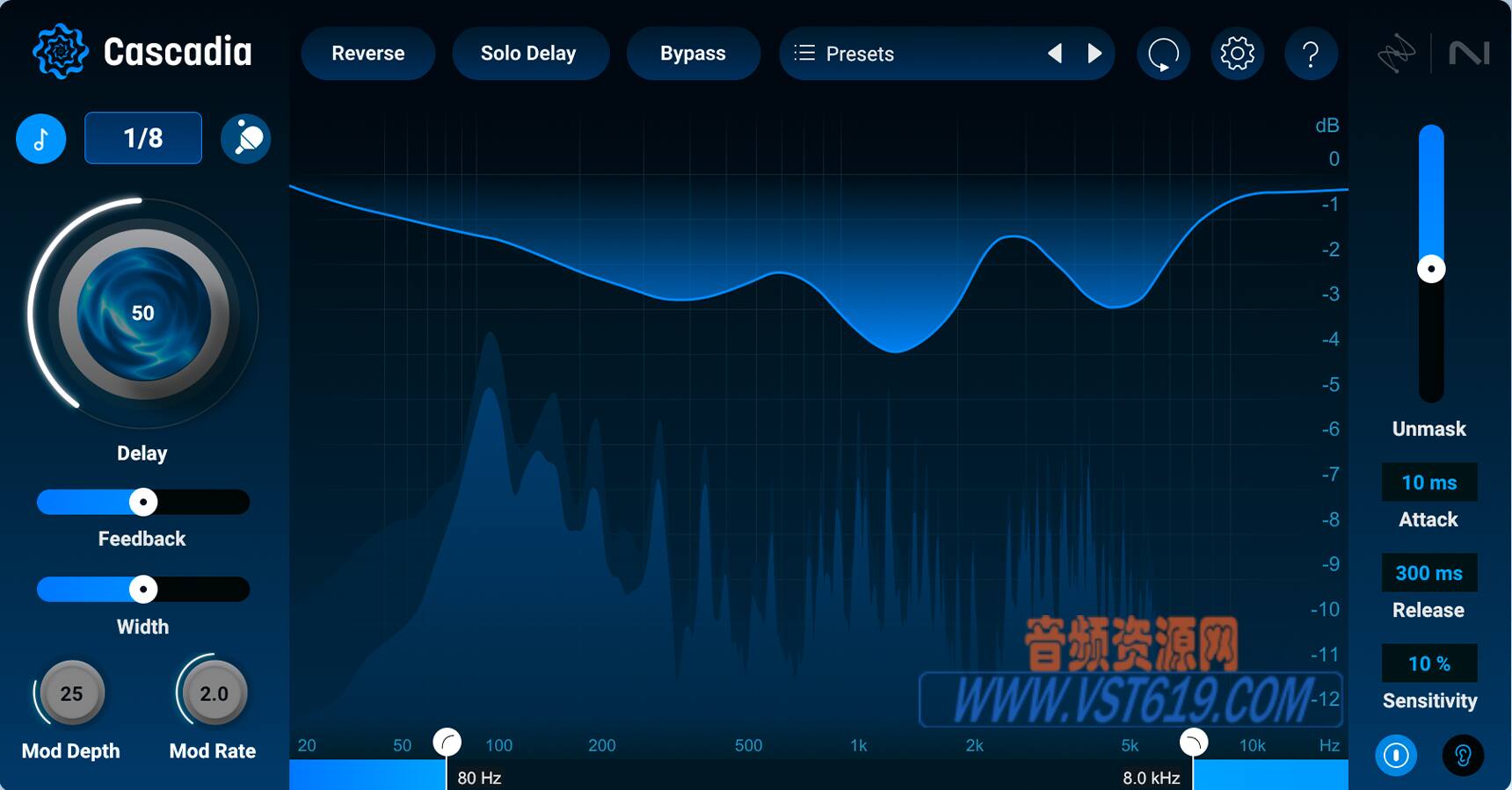
延迟插件iZotope Cascadia
VST插件格式:
VST3/AAX
iZotope Cascadia 是智能磁带延迟插件,搭载自适应去掩蔽技术,动态避让人声与乐器,保持混音通透。支持节拍同步、乒乓、反向延迟、复古音漂等模式,操作简洁,轻松打造回声、Slapback 与丰富音色层次。
翻译:
Cascadia
一款具备自适应“去遮蔽”(Unmasking)功能的智能磁带延迟插件,能自动确保您的声音清晰且聚焦。
无干扰的延迟效果
体验智能且无干扰的延迟效果。在增强节奏感的同时,打造深邃的回声、紧凑的短延迟(slapback)以及富有创意的音色质感;得益于简单易用的自适应“去遮蔽”功能,您的乐器和人声在混音中始终保持清晰聚焦。
打造清晰混音的智能延迟
通过多种方式塑造空间感:支持节拍同步或基于时间的延迟、乒乓(ping-pong)与反向延迟模式、复古音高漂移(pitch drift)、声场宽度控制,以及可调节的“去遮蔽”模块。告别冗长的插件链和繁琐的路由设置——Cascadia 直观的操控界面让您能迅速进入创作状态。
自适应“去遮蔽”——留出空间
让您的混音保持纯净与聚焦,无需担心延迟效果带来的干扰。Cascadia 会根据您的音频内容做出响应,动态地在延迟信号中“腾出空间”,确保乐器和人声在混音中始终突出,无需复杂的路由或冗长的插件链。
灵活多变的延迟——随心定制
Cascadia 绝非“千篇一律”的工具。无论是细腻的回声还是极具创意的音色质感,它都能轻松胜任。插件提供乒乓模式、反向延迟、可调节的调制控制(用于模拟复古音高漂移)等多种功能。此外,得益于 Cascadia 简洁直观的界面,为您的声音留出空间从未如此简单。
原文:
Cascadia
An intelligent tape delay with adaptive unmasking that automatically keeps your sound clear and focused.
Delay without distraction
Discover intelligent delay without distraction. Reinforce your rhythms and create deep echoes, tight slapbacks, and creative textures – all while keeping instruments and vocals focused in the mix with easy, adaptive unmasking.
Intelligent delay for clear mixes
Sculpt your space with beat-synced or time-based delays, ping-pong and reverse delay modes, vintage pitch drift, width control, and an adjustable unmasking section. Wave goodbye to long plugin chains and tedious routing. Find your flow fast with Cascadia’s intuitive controls.
Adaptive unmasking – Make some space
Keep your mixes clean and focused without distracting delays. Cascadia reacts to your audio and dynamically creates space in the delay signal, keeping your instruments and vocals present in the mix without complex routing and long plugin chains.
Flexible delays – Make it your own
Cascadia is far from one-size-fits-all. Cover anything from subtle echoes to creative textures with ping-pong mode, reversed delays, adjustable modulation controls for vintage pitch drift, and more. Plus, with Cascadia’s streamlined, intuitive interface, it’s never been easier to make space for your sound.
VST619音频资源网收集整理!



请登录后查看评论内容