

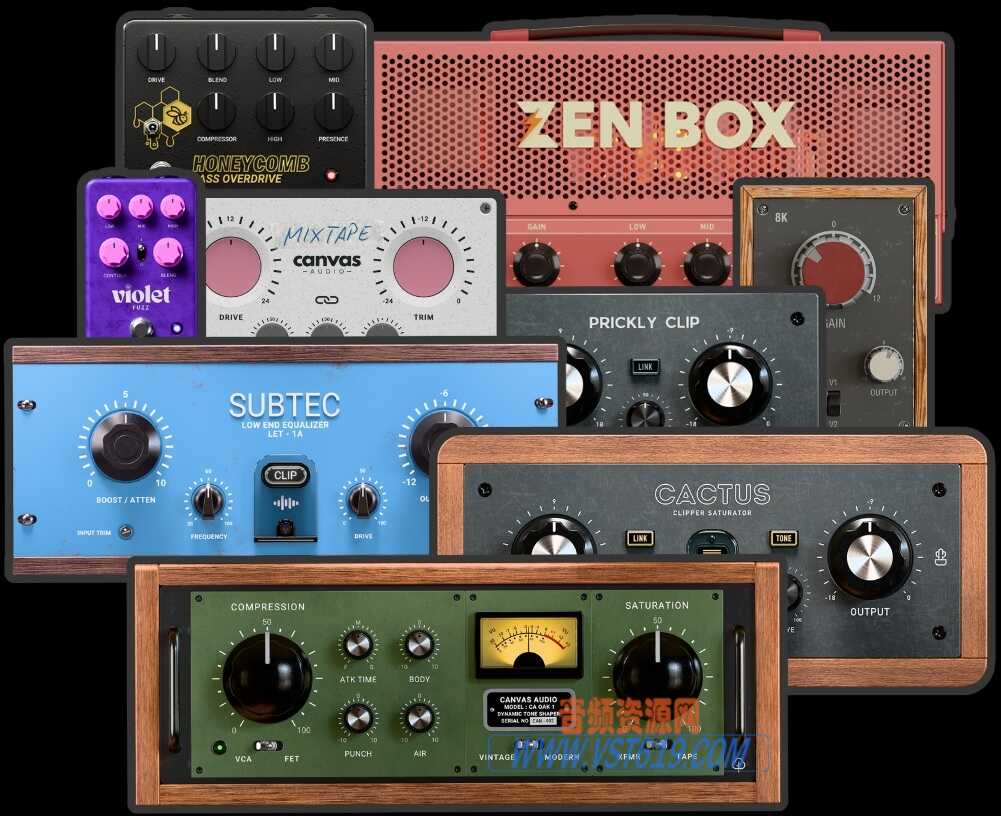
![图片[1]_AnalogX Genesis Pro](https://img.vst619.com/2026/01/07/e858a5ab51a25.jpg)
模拟仿真插件/混音插件AnalogX Genesis Pro
VST插件格式:
VST3/AAX
Genesis Pro是全球首款基于GPU的模拟混音生态系统插件,通过显卡运算重现经典硬件调音台、压缩器、磁带机等音色,释放CPU资源,支持超百个实例并行运行,实现低延迟、高保真的混音处理。
AnalogX Genesis Pro
全球首个基于 GPU 的模拟混音生态系统
AnalogX 隆重推出全球首个基于 GPU 的模拟混音生态系统
混音的未来由此开启
想象一下,世界上最具标志性的录音棚硬件——前置放大器、调音台、压缩器、磁带机——的精髓尽在指尖,并完美地针对您的数字工作流程进行了重现。有了 AnalogX Genesis Pro,模拟与数字之间的界限已被彻底打破。这不仅仅是一款插件;它将重新定义您创作、混音和制作音乐的方式。
一切始于一个疑问:如果你的显卡能够真正像世界级的模拟调音台、磁带机、总线单元或失真器一样工作,而且无需占用 CPU 资源,那会怎样?
多年来,数字模拟不断挑战 CPU 的极限,但每位工程师都知道,无论从音质还是 CPU 性能的角度来看,CPU 的极限都已接近。Genesis Pro 的出现,是首个将模拟硬件的声音移植到 GPU 的系统。
突然间,那些宏大的模拟混音不再是梦想,而是触手可及的现实。数百个实例会话无需 CPU 负载,实时世界级建模,以及令人难以置信的导出速度,直到你亲眼所见。
你的 CPU 可以自由地驱动合成器、混响器和各种创意,而 GPU 则以精准的精度默默处理你的整个模拟混音流程。一键切换 CPU 和 GPU。
以低延迟模式进行录音,以无限模式进行混音。
这不仅仅是加速,更是进化。
GPU 混音如何改变一切
升级到 GPU 不仅仅意味着性能提升,更意味着无限可能。以下是基于 GPU 的 Genesis Pro 为您的工作流程带来的全新体验。
实时神经网络处理能力
以极低的 CPU 占用率和超低延迟运行数百个 AnalogX 的高品质模拟或 NAM Profiles。
混合工作流程的自由
只需轻触按钮即可在 CPU 和 GPU 实例之间切换,用 CPU 录音,用 GPU 混音?——一切由您掌控!
模拟级混音
构建庞大的 SSL、Neve 和 API 风格的调音台设置,并在您的 DAW 中即时使用磁带风格的求和链。
充足的 CPU 资源
让您的 CPU 轻松运行。GPU 负责繁重的计算任务,确保您的大型合成器、混响器和虚拟乐器流畅运行。
超快的渲染速度
以极快的速度渲染整个神经过程,同时保持完全的混合一致性,并将等待时间降至最低。
系统要求:
Windows
支持的显卡:
NVIDIA
• RTX 2000 系列
• RTX 3000 系列
• RTX 4000 系列
• RTX 5000 系列
(最低 8 GB 显存)
AMD
• RX 6000 系列
• RX 7000 系列
• RX 9000 系列
(最低 8 GB 显存)
驱动程序注意事项
请确保直接从制造商网站安装最新的 NVIDIA 或 AMD 官方驱动程序。
不支持通过 Windows 更新提供的驱动程序。
————————————————————————————————————
AnalogX Genesis Pro
The World’s First GPU-Based Analog Mixing Ecosystem
AnalogX Presents The World’s First GPU-Based Analog Mixing Ecosystem
The Future of Mixing Starts Here
Imagine having the essence of the world’s most iconic studio hardware—preamps, consoles, compressors, tape machines—at your fingertips, perfectly recreated for your digital workflow. With AnalogX Genesis Pro, the lines between analog and digital have been erased. This isn’t just another plugin; it’s the tool that will redefine how you approach your music, mix, and production.
It started with a question: what if your graphics card could truly act like a world class analog console, tape machine, Summing unit or distortion box AND do it without bothering the CPU?
For years, digital emulation pushed the limits of CPUs, but every engineer knew the ceiling was near, from both a quality and CPU perspective. Then came Genesis Pro, the first system to take the sound of analog hardware and move it to the GPU.
Suddenly, those massive analog sounding mixes weren’t just a dream, they became reality. Hundred plus instance sessions without CPU strain, real-time world class modelling, and bounce speeds that feel impossible until you see them.
Your CPU stays free, driving synths, reverbs, and creative chaos while the GPU quietly handles your entire analog mix flow with surgical precision. Switch between CPU and GPU with a single click.
Track in low-latency mode. Mix in limitless mode.
This isn’t just acceleration. It’s evolution.
Why GPU Mixing Changes Everything
The jump to GPU isn’t just about performance, it’s about possibilities. Here’s what a GPU based Genesis Pro unlocks in your workflow.
Real-Time Neural Power
Run hundreds of AnalogX’s high-quality emulations, or NAM Profiles with minimal CPU drag per instance and super low latency.
Hybrid Workflow Freedom
Switch between CPU and GPU instances at the touch of a button, track on CPU, mix on GPU? – you choose!
Analog-Scale Mixing
Build huge SSL, Neve, and API inspired console setups, complete with tape-style summing chains instantly available right inside your DAW.
Creative CPU Headroom
Let your CPU breathe. Keep your heavy synths, reverbs, and virtual instruments running flawlessly while the GPU handles the heavy lifting.
Super-Fast Bounce Times
Render entire neural sessions much faster with full mix consistency and minimal wait time.
System Requirements:
Windows
Supported GPUs:
NVIDIA
• RTX 2000 Series
• RTX 3000 Series
• RTX 4000 Series
• RTX 5000 Series
(Minimum 8 GB VRAM)
AMD
• RX 6000 Series
• RX 7000 Series
• RX 9000 Series
(Minimum 8 GB VRAM)
Driver Notice
Please ensure the latest official NVIDIA or AMD drivers are installed directly from the manufacturer’s website.
Drivers supplied via Windows Update are not supported.
VST619音频资源网收集整理!



请登录后查看评论内容