

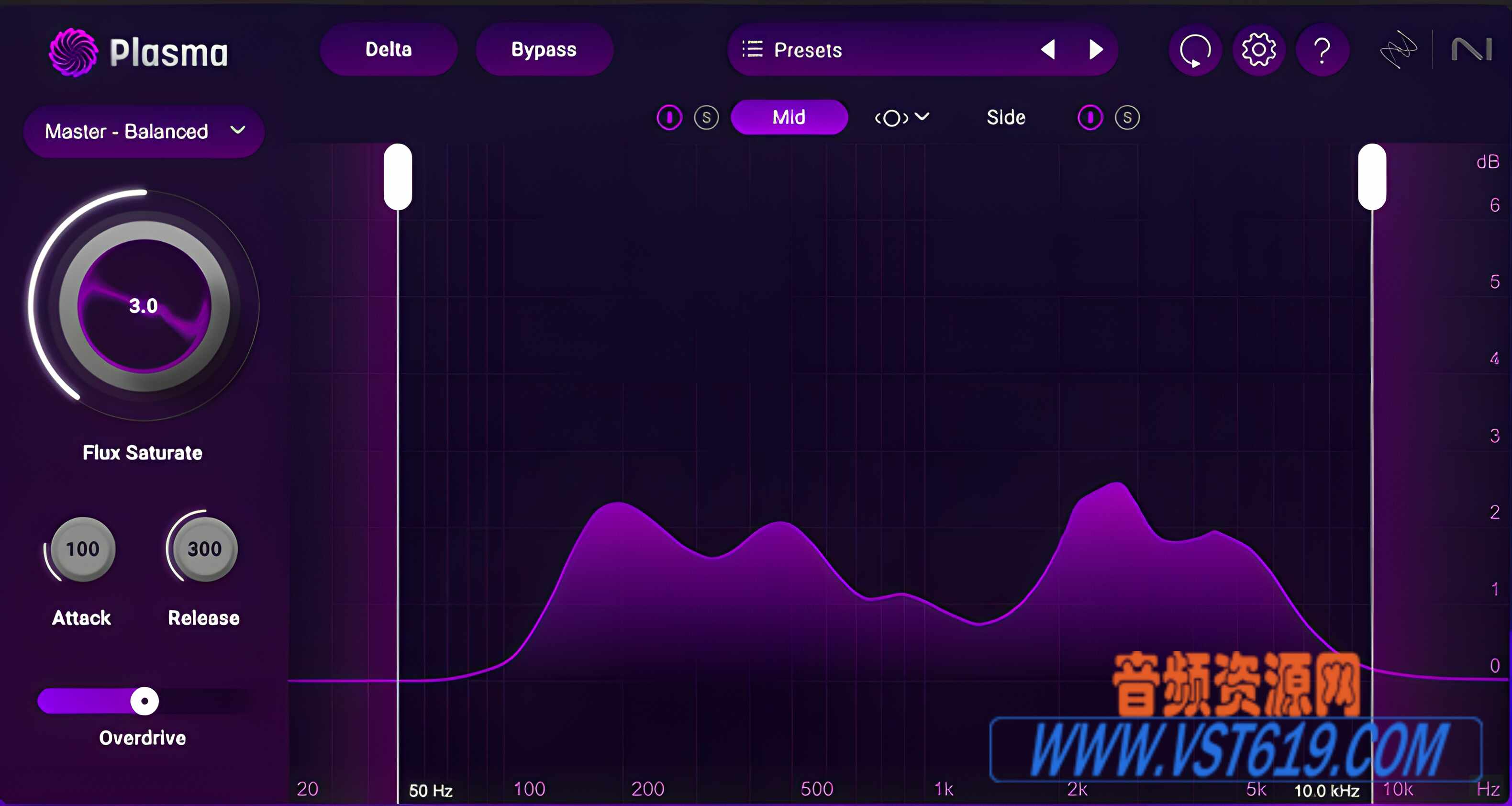
饱和效果器iZotope Plasma
VST插件格式:
VST3/AAX
iZotope Plasma 是智能饱和插件,搭载自适应 Flux Saturation 动态饱和技术,按需注入温暖谐波。内置 24 种音色配置、频点调节与立体声模式,支持分轨与母带使用,搭配 49 组预设快速塑造音色质感。
翻译:
Plasma
智能且直观的饱和效果器。将其应用于混音或母带处理中,利用自适应“通量饱和”(Flux Saturation)技术,在最需要的地方和时刻精准增添音色质感。
为你的声音注入强大能量
精准满足音轨的需求——在恰当的位置与时刻,给予恰当的处理。与传统饱和效果器所采用的静态处理方式不同,Plasma 突破性的“通量饱和”技术能够实时分析音频并进行动态处理,赋予声音细腻的温暖感、深度与个性,充分激发混音与母带的最佳表现。
更智能的饱和处理
精准满足音轨的需求——在恰当的位置与时刻,给予恰当的处理。与传统饱和效果器所采用的静态处理方式不同,Plasma 突破性的“通量饱和”技术能够实时分析音频并进行动态处理,赋予声音细腻的温暖感、深度与个性,充分激发混音与母带的最佳表现。
你的全新“秘密武器”
无论是想为声音增添一丝温润,还是通过过载(Overdrive)带来强烈的质感,Plasma 直观的界面与易用的控件都能满足你的需求。它适用范围极广——从独立的混音元素到完整的母带,皆可轻松驾驭。
目标预设(Target Profiles)与音色设置
通过 24 种“目标预设”(Target Profiles)引导 Plasma 的“通量饱和”处理,涵盖从鼓组、人声到完整母带的各类音频素材。此外,你还可以利用简便的“启动”(Attack)与“释放”(Release)参数进行精细调节,并通过“过载”(Overdrive)推子,为声音增添更具冲击力、更酥脆的质感。
通道模式(Channel Modes)与频率控制(Frequency Handles)
利用“频率控制”(Frequency Handles)分别增强高频、中频和低频。通过“通道模式”(Channel Modes),你可以强化混音的中心声像或拓宽立体声场,并能精细塑造声音的起始(Attack)与尾音(Tail),实现更精准的控制。
探索 49 种预设
想要明亮、深沉、平衡还是温暖的音色?无论你追求何种听感,Plasma 精心打造的预设都能助你快速找到理想的起点。
原文:
Plasma
Intelligent, intuitive saturation. Throw it on your mixes and masters to effortlessly add color with adaptive Flux Saturation, only boosting where and when it’s needed.
Supercharge your sound
Give your tracks exactly what they need, exactly where and when they need it. Unlike traditional saturators that apply a static effect, Plasma’s groundbreaking Flux Saturation technology analyzes your sound and applies dynamic processing, adding precise warmth, depth, and character to bring out the best in your mixes and masters.
Saturation just got smarter
Give your tracks exactly what they need, exactly where and when they need it. Unlike traditional saturators that apply a static effect, Plasma’s groundbreaking Flux Saturation technology analyzes your sound and applies dynamic processing, adding precise warmth, depth, and character to bring out the best in your mixes and masters.
Your new secret sauce
Whether you’re looking to gently warm up your sound or crank it into overdrive, Plasma’s intuitive interface and easy-to-use controls have you covered. And yes, you can use it on everything—from individual mix elements to entire masters.
Target Profiles & Character Settings
Guide Plasma’s Flux Saturation with one of 24 Target Profiles, featuring anything from drums and vocals to full masters. Then, fine-tune Plasma’s effect with easy Attack and Release settings, plus an Overdrive fader for some extra crispy, crunchy goodness.
Channel Modes & Frequency Handles
Use Frequency Handles to separately boost the highs, mids, and lows. With Channel Modes, you can enhance the center of your mix or widen the stereo field, as well as shape the attack and tail of your sound for more precise control.
Explore 49 presets
Bright? Deep? Balanced? Warm? No matter what kind of vibe you want, Plasma’s custom-built presets make it easy to find a quick starting point.
VST619音频资源网收集整理!




请登录后查看评论内容